We connect the software your firm already uses.
Your team enters information once, and the work moves between your tools.

How it works
What a Connection Does
In a firm that runs several programs, people carry the work from one to the next: details copied from an email into the CRM, an invoice typed again into the accounts. A connection does that carrying. The example below follows one piece of work from where it arrives to the software it belongs in.
- 1A client emails a month of receipts.
- 2The connection reads each receipt and flags the one it cannot read.
- 3It drafts the entries in your accounting software.
- 4A person approves them. The unreadable receipt waits for you.
- 1A homeowner asks for a quote on your website.
- 2The connection reads the request.
- 3It drafts the quote in your quoting software, from your price list.
- 4You check the draft and send it.
- 1A new patient asks for a first appointment.
- 2The connection reads the request.
- 3It prepares a new patient file, finds a free time and drafts the reply.
- 4Once your team confirms, the file is saved and the appointment booked.
- 1An invoice arrives by email.
- 2The connection reads the attached PDF.
- 3It drafts the entry in your accounting software, field by field.
- 4A person approves it, and then it is booked.
1A client emails a month of receipts.
2The connection reads each receipt and flags the one it cannot read.
3It drafts the entries in your accounting software.
4A person approves them. The unreadable receipt waits for you.
1A homeowner asks for a quote on your website.
2The connection reads the request.
3It drafts the quote in your quoting software, from your price list.
4You check the draft and send it.
1A new patient asks for a first appointment.
2The connection reads the request.
3It prepares a new patient file, finds a free time and drafts the reply.
4Once your team confirms, the file is saved and the appointment booked.
1An invoice arrives by email.
2The connection reads the attached PDF.
3It drafts the entry in your accounting software, field by field.
4A person approves it, and then it is booked.
Each program is drawn generic on purpose: the connection writes into the software you already use.
This is a simple example of what is possible. On the free mapping call, we go through your own programs and tell you which of them can be connected.
These are examples. The people and figures in them are made up.
AI reads, matches, checks and drafts. Fixed code writes the result into your software, and where it matters, a person approves the draft first.
The whole picture
What Cadre Is
Cadre connects the software a business already uses, so nothing is typed twice. Where no software covers a job, Cadre builds it.
Your software
Cadre connects them- Mail and calendar Requests arrive, and times are proposed


- CRM Each client's record is kept current


- Quoting and invoicing The invoice is drafted from the signed quote
- Accounting Documents are matched to their entries
- Documents Each file is sorted to the right client
Where no software covers a job
Cadre builds a workspace for it.
The automations
What Runs on Top
Four automations run on top of the software you already use. Each is built with you and priced on its own.
Website Assistant
Answers, quotes and books on your own site, and hands over when a person is needed.
Learn more →Quote Follow-Up
The quotes that went quiet, followed up until there is an answer.
Learn more →Bringing Customers Back
The customers who went quiet brought back, and every customer asked for a review after their visit.
Learn more →Get Found
Your visibility on Google, on the map and in AI assistants, earned and paid, measured and worked every month.
Learn more →Examples with made-up names and figures.
Every automation →Where you start
You start with one connection.
We connect the two programs where your team retypes the most, and test the connection with you before it runs on your real data.
- 01
Connect Two of Your Programs
A connection takes over the step where your team types the same thing twice, such as a new address copied from an email into your CRM. We map it with you on a free call first.
What past clients said
What Changed for Two Clients
“We were able to connect all our systems.”
“The contents of my emails go straight into my CRM, so I no longer have to copy them across. All I do is review them.”
Running today
Our Klimabonus workspace is live at a Luxembourg installer.
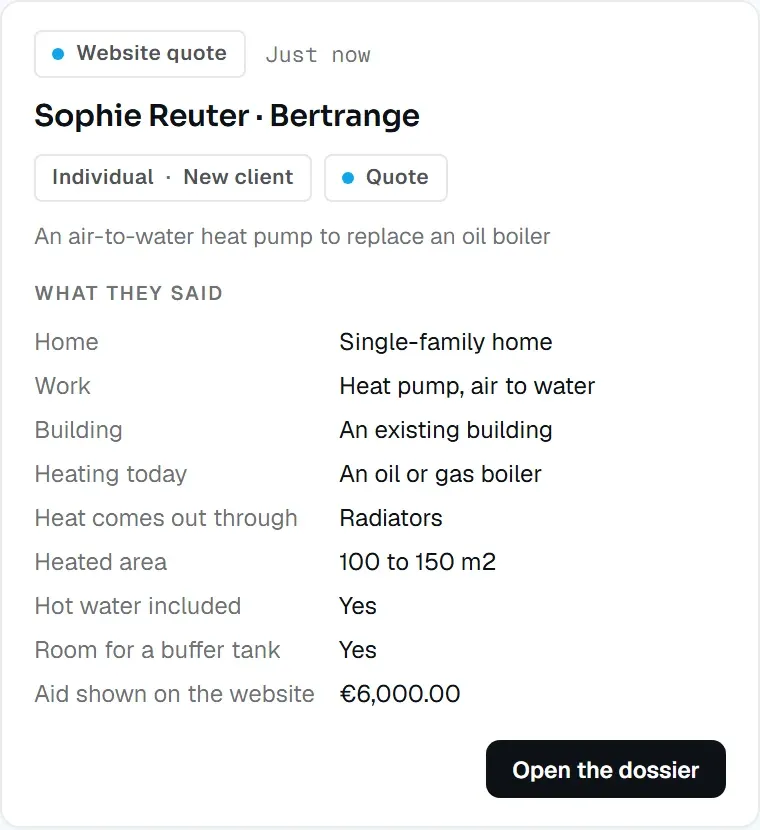
It is built for heat pump, PV and insulation installers and works alongside the software they already use. Requests from their website, chat and phone land in one place, each Klimabonus dossier is prepared from the emails and papers that come in, and the installer checks before anything is filed.
For HVAC Services →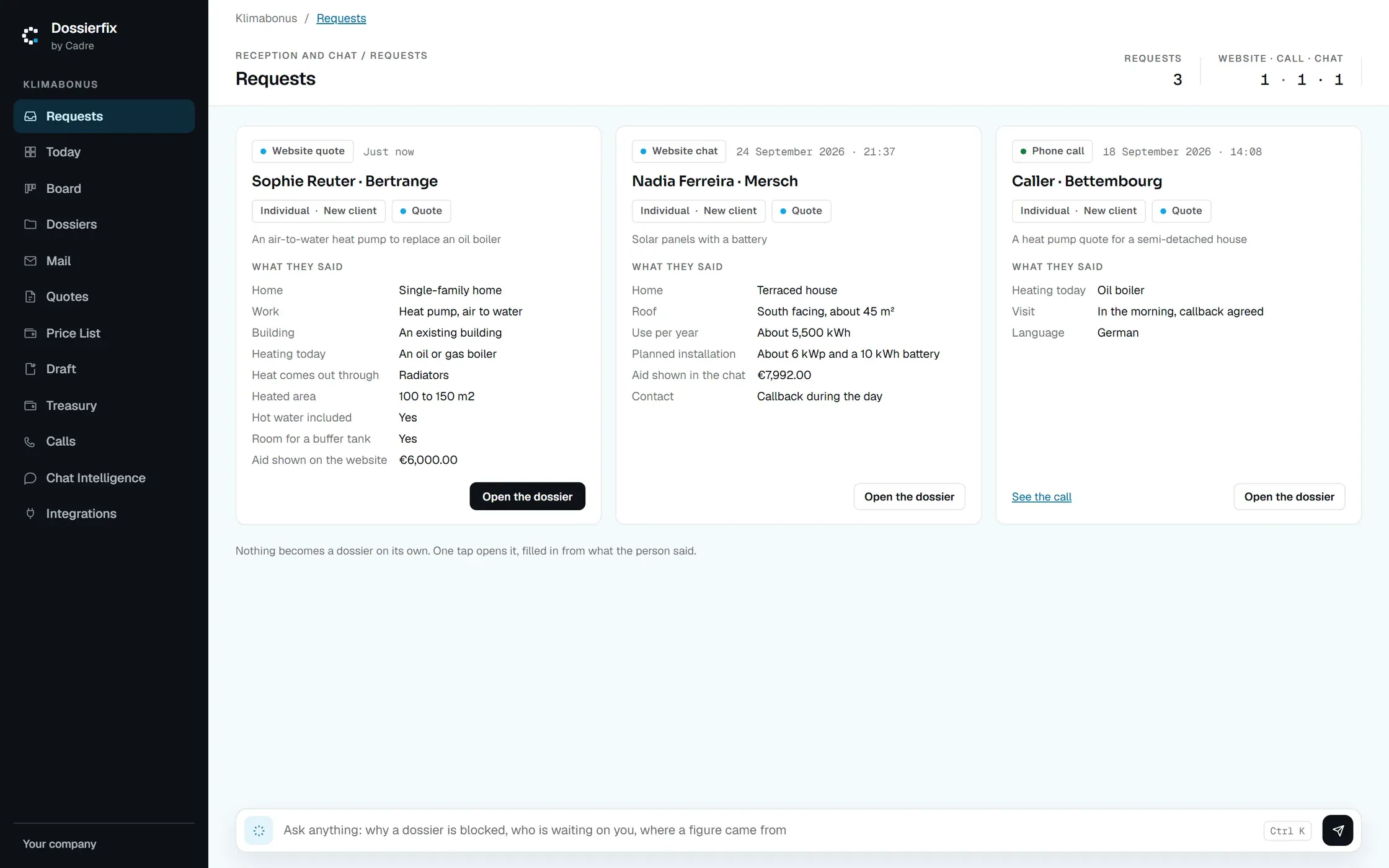
Each connection and each automation has its own price.
See the prices →